

 Čeština
 Deutsch
 日本語
 Français
 Español
 한국어
 简体中文
 Italiano
 Português
 Nederlands
 Polski
 繁體中文
 Svenska
 Türkçe
 العربية
 Українська
 Dansk
 Norsk bokmål
 Suomi
 עברית
 Română
 Magyar
 Ελληνικά
 Hrvatski
Illustrated guide
Navigate the 3D view
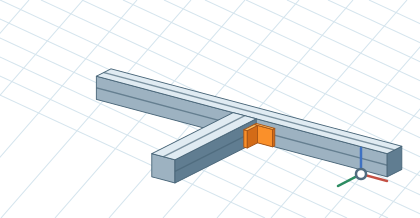
Right-drag to orbit. Scroll to zoom, or hold the middle mouse button and drag to pan. The circle beside the axes restores the isometric view. Press F to fit the selection or the whole model.
Illustrated guide
Right-drag to orbit. Scroll to zoom, or hold the middle mouse button and drag to pan. The circle beside the axes restores the isometric view. Press F to fit the selection or the whole model.