Čeština
 Deutsch
 日本語
 Français
 Español
 한국어
 简体中文
 Italiano
 Português
 Nederlands
 Polski
 繁體中文
 Svenska
 Türkçe
 العربية
 Українська
 Dansk
 Norsk bokmål
 Suomi
 עברית
 Română
 Magyar
 Ελληνικά
 Hrvatski
Illustrated guide
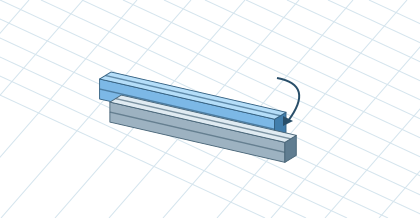
Move, copy, and rotate in scene
Click a part to open the bottom toolbar. For Move or Copy, drag a colored arrow or choose a direction and enter a distance. For Rotate, drag the arc, use ±90° or type an angle. Enter applies, Esc cancels and Ctrl+Z undoes the last completed change. Open More for details or deletion.