Čeština
 Deutsch
 日本語
 Français
 Español
 한국어
 简体中文
 Italiano
 Português
 Nederlands
 Polski
 繁體中文
 Svenska
 Türkçe
 العربية
 Українська
 Dansk
 Norsk bokmål
 Suomi
 עברית
 Română
 Magyar
 Ελληνικά
 Hrvatski
Illustrated guide
Insert the first profile
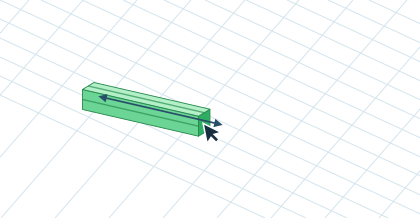
Select the 20×20 T-slot profile and click Insert profile. Move the green preview onto the work surface. Click to set the start point and drag to set the length. Click again or press Enter to place the profile.