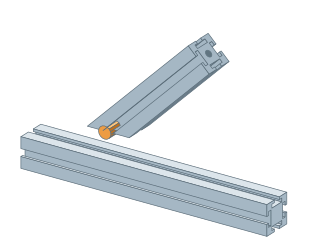
Profile and square tube jointsFit a diagonal brace with a 45° cutMitered kit places a slanted support on the surface of the beam.▷ Play animationOpen extended insertionRight click on the beam and select a 45° support with miter. Select I-Type 8, 40×40 supported support.Set the fitSelect the surface of the beam, distance from its beginning and direction of the support. You enter the length by the axis. Check the cut end face in the preview.Read operationsConfirm insertion. In Profile Machining, find miter, side hole for case and hole perpendicular to mitered end face. For cutting, use the given length blank.


 Čeština
 Deutsch
 日本語
 Français
 Español
 한국어
 简体中文
 Italiano
 Português
 Nederlands
 Polski
 繁體中文
 Svenska
 Türkçe
 العربية
 Українська
 Dansk
 Norsk bokmål
 Suomi
 עברית
 Română
 Magyar
 Ελληνικά
 Hrvatski